
Creating a vendor account on DealMega is quick and easy. Please follow the steps below to complete your registration.
Step 1: Go to the My Account Page
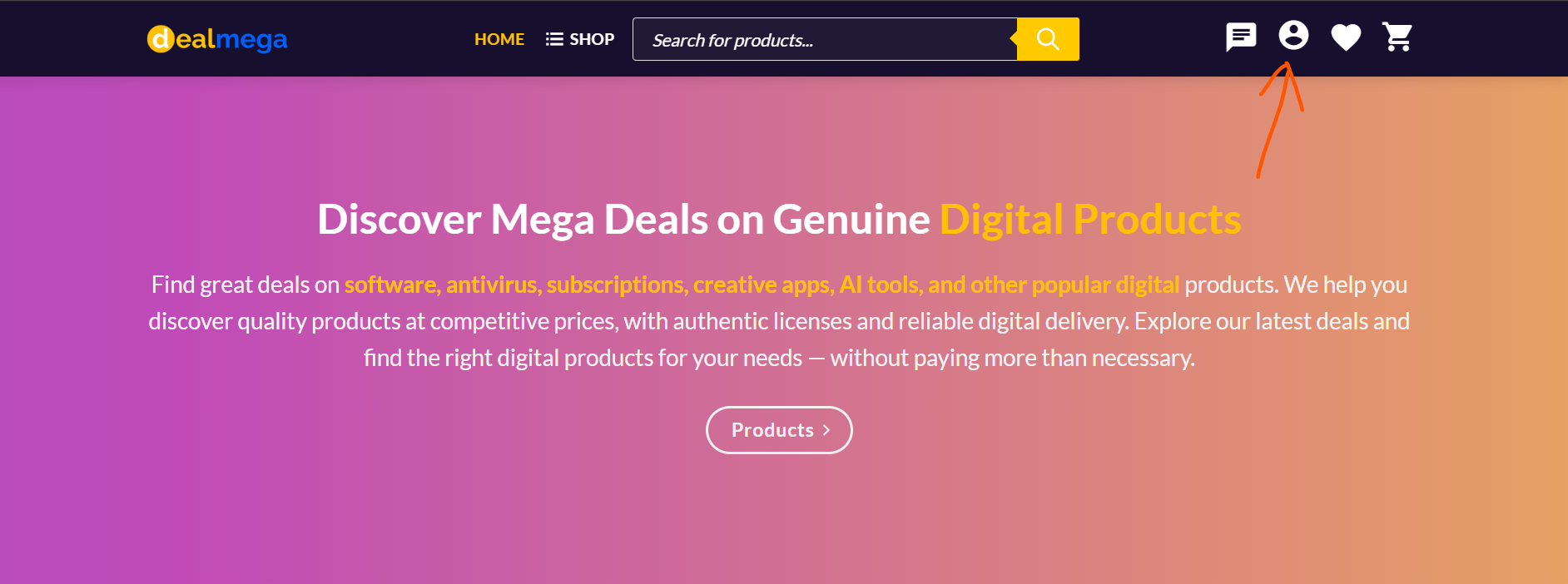
Click on the Profile icon located at the top-right corner of the website.
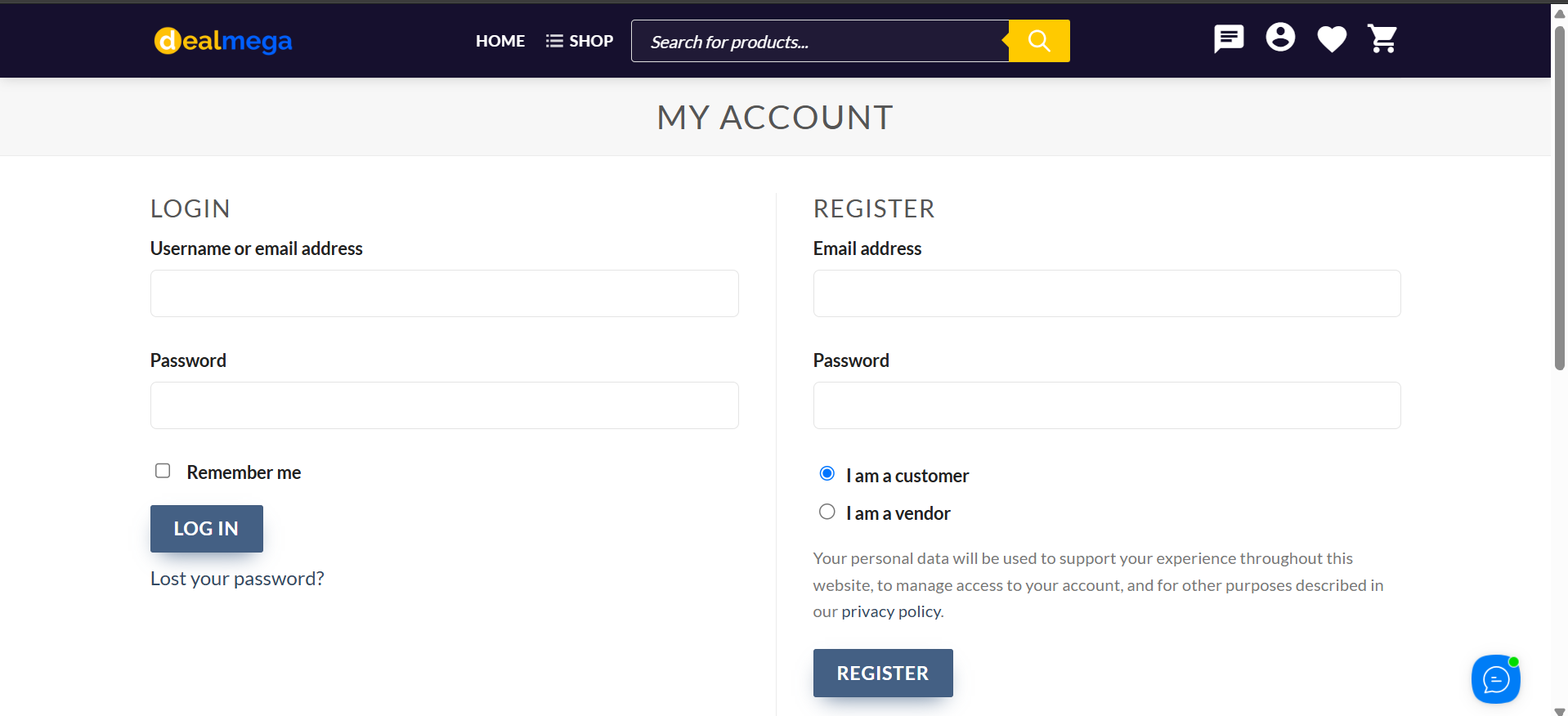
You will be redirected to the My Account page:
Step 2: Select “I am a Vendor”
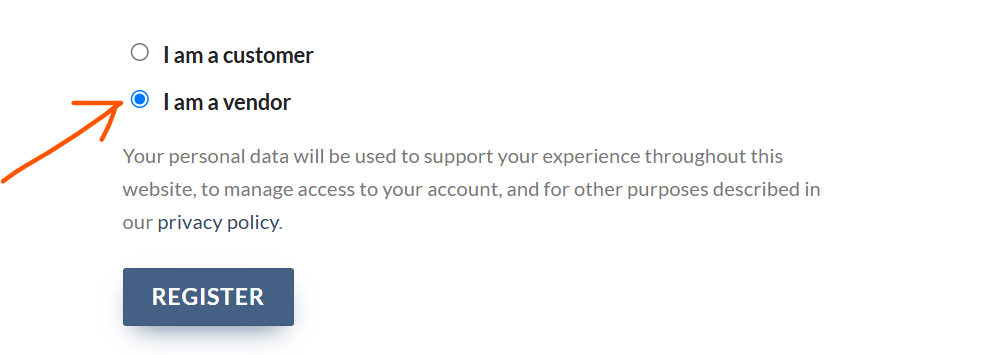
On the My Account page, select the “I am a vendor” option to access the vendor registration form.
Step 3: Complete the Registration Form
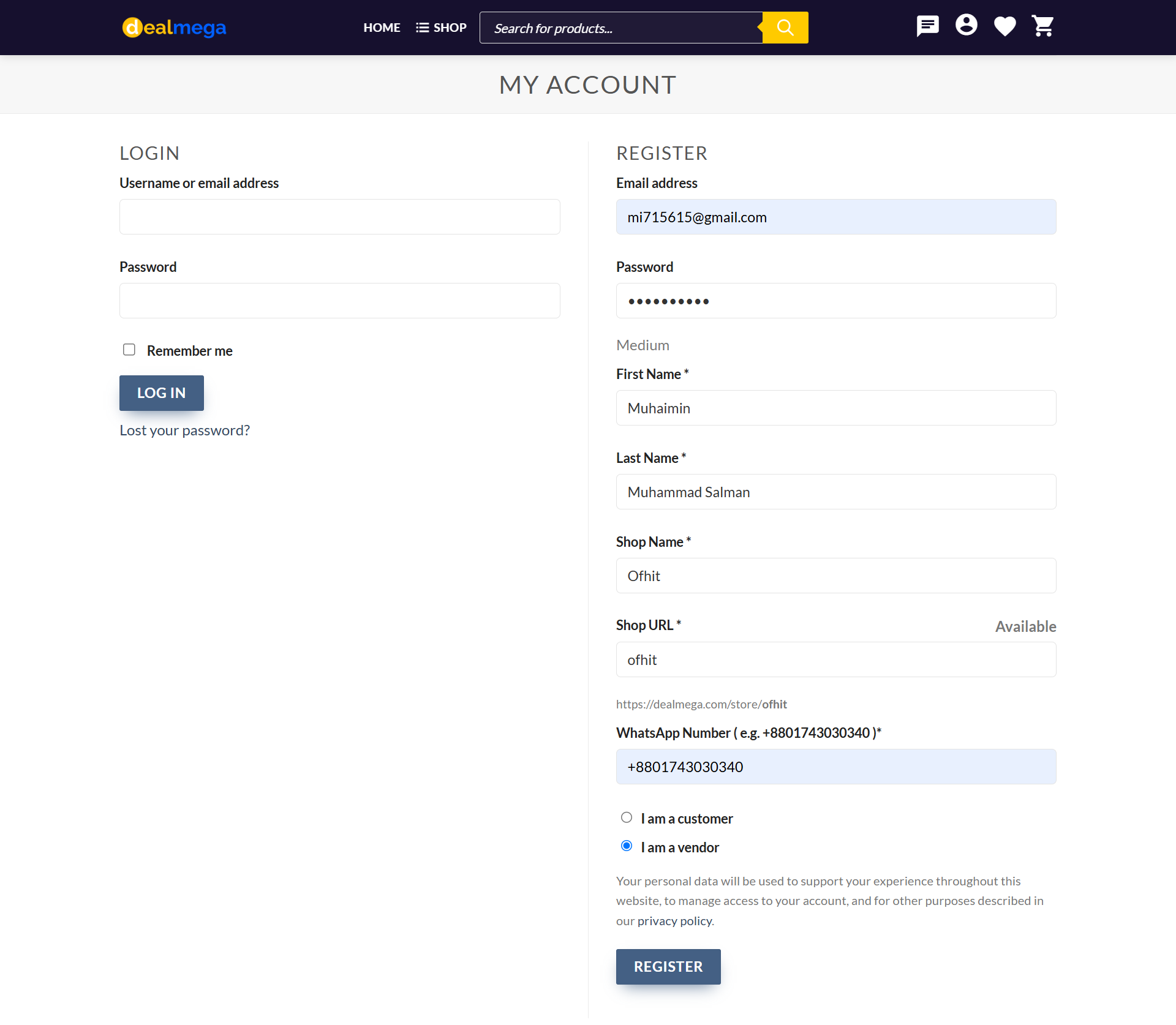
Fill in all the required information carefully:
- Email Address
- Password
- First Name
- Last Name
- Shop Name
- Shop URL
- WhatsApp Number — e.g.
+8801743030340*
Please make sure that all information is correct, especially your WhatsApp Number, as it may be used to contact you regarding your vendor account and orders.
Step 4: Click “Register”
After entering all the required information, click the Register button to create your vendor account.
Step 5: Access Your Vendor Dashboard
After successful registration, you will be redirected to the Vendor Dashboard:
If you can access the Dashboard, your vendor registration has been successfully completed.
🎉 Congratulations! Your DealMega vendor account is now created.